For creators on iPhone, iPad & Mac

Talk through your photos. Post the story.

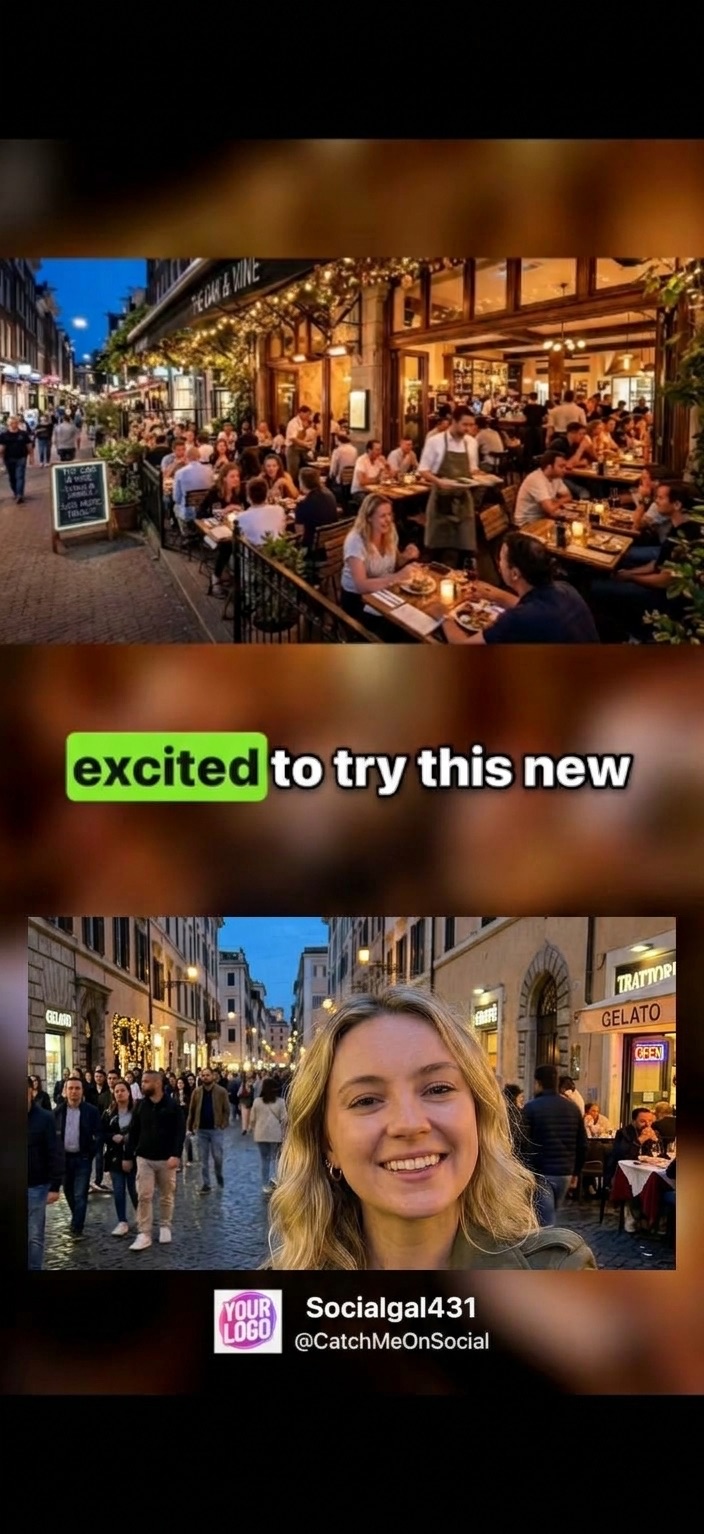
Press record, tap through your camera roll, and tell it like you’d tell a friend. Photo Relato turns it into one video: you on camera, every photo landing the moment you mention it, and captions highlighted word by word.

Easily embed your own custom logo and your social media accounts in every video.

Free to download for iPhone, iPad and Mac. Spotted a bug or have an idea? Let me know.

A vertical video made with Photo Relato: a restaurant photo on top, the narrator on camera below, a word-by-word caption reading “excited to try this new”, and the creator’s logo and handle along the bottom

Record in one take

No editing timeline, no clip trimming, nothing to import. Photo Relato opens right on your Apple Photos and is ready when you are.

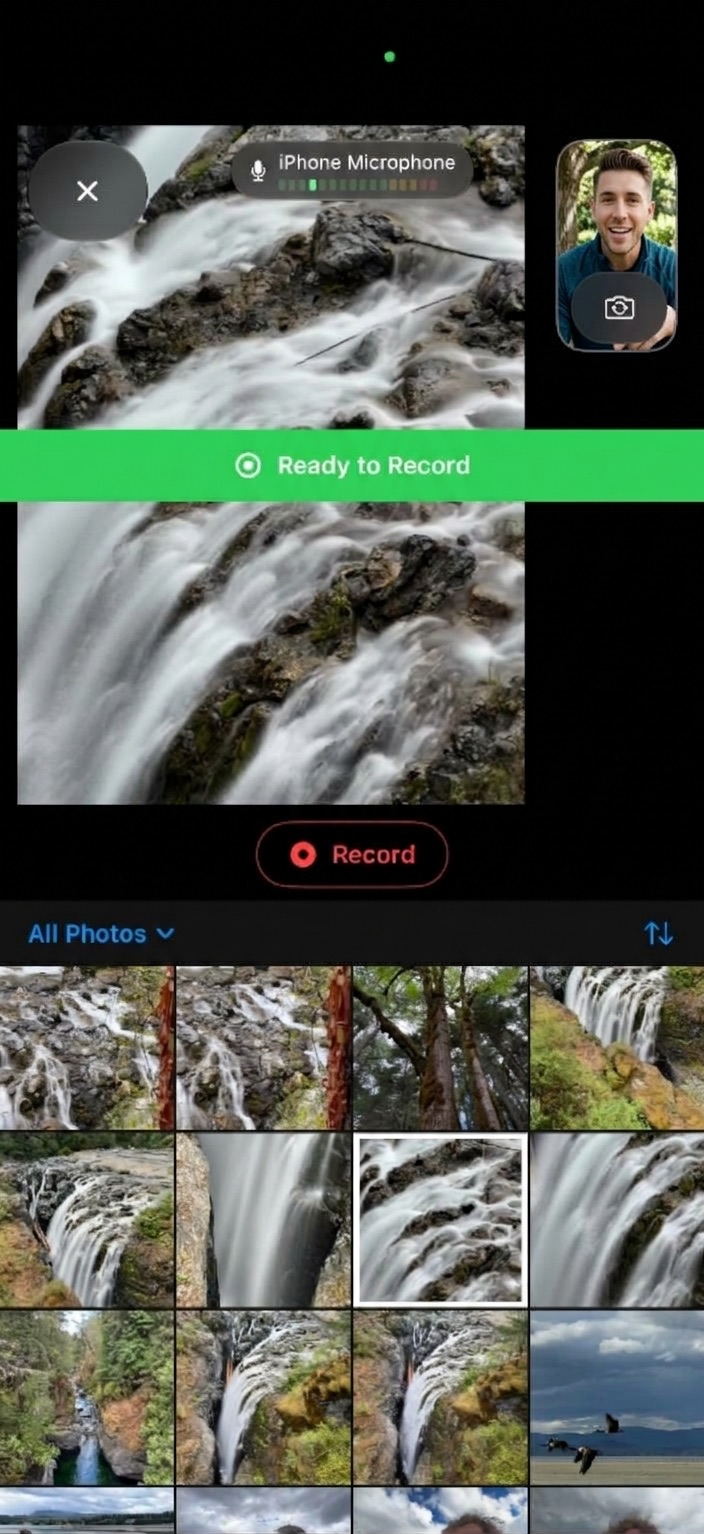
Photo Relato’s recording screen: a waterfall photo in the viewer, the front camera preview in the corner, a microphone level meter, a green “Ready to Record” banner, a Record button and the photo grid below
  1. 1

    Press Record

    Your front camera and mic are live, your photos are right below. Check your levels, flip the camera if you like, and go.

  2. 2

    Talk and tap

    Tell the story and tap through photos and clips as you go. Photo Relato remembers which one was on screen at every moment, even where you paused or scrubbed in a video.

  3. 3

    Pick a look and post

    Choose a preset, see it previewed with your own photo and recording, then save to your Camera Roll or share straight from the app.

Built for the feed

Everything between “you had to be there” and a finished post.

💬

Captions that keep up

Your narration is transcribed on your device and turned into captions timed to your actual speech. Fix a word in the transcript and the caption follows.

🏷️

Your brand on every video

Add your logo plus up to three lines of text, like your name and handle, and finish with your own ending card.

📱

Portrait, square or landscape

Vertical for Reels, TikTok and Shorts, square for the grid, landscape for YouTube or the TV. Sized for phones or bigger screens.

🎛️

Presets you can see

Side by Side, Narrator in Corner, Social Media Captions, Narrator Full Screen or Audio Only. Tweak one and save it as your own style.

🎞️

Talk over your clips

Narrate over videos as well as photos. The clip’s own sound dips automatically while you’re speaking.

☁️

Record anywhere

Record on your iPad, polish the captions on your iPhone, export on your Mac. Syncs through your own iCloud.

The stories you’re already shooting

If it’s in your camera roll, you can talk it into a post.

✈️ Trip recaps

A week away, told in a minute. Swipe through the highlights while you’re still on the train home.

🍝 Food & restaurant reviews

The room, the menu, the dish you’d order again. Your reaction does the selling.

🎟️ Events & game days

Concerts, matches, weddings, festivals. The play-by-play, with the photos to prove it.

🥾 Adventures & how-tos

The hike, the build, the routine. Walk your followers through it one photo at a time.

Not posting? It works just as well for family albums, a baby’s first year, or Grandpa telling the story behind the farm.

No subscriptions

Start free. Unlock once, keep it on every device, and share it with your family.

Free

  • 2 recordings
  • Watch, export and share
  • Captions and travel maps
  • Small Photo Relato watermark and end screen

Photo Relato Pro

  • Unlimited recordings
  • No watermark or end screen
  • Captions and travel maps
  • Family Sharing

Signature & Logo

  • Your logo on every video
  • Your social media account names on every video, in up to three lines of text
  • Your own ending card
  • Add-on to Pro

Recordings you make on the free tier stay yours forever.

Your camera roll stays yours

No account. No servers. Nothing to upload until you decide to post.

Read the full Privacy Policy →

Questions

Can I post the videos to Instagram, TikTok or YouTube?

Yes. Export in portrait, square or landscape, save to your Camera Roll or share straight from the app, then post it anywhere you like.

Will my videos have a watermark?

Videos made on the free tier have a small Photo Relato watermark and end screen. Photo Relato Pro removes both, and the Signature & Logo add-on puts your own logo, text and ending card in their place.

Can I fix the captions?

Yes. Every recording has an editable transcript, one part per photo. Your corrections become the captions in the shared video, still timed to your speech.

Where do I get Photo Relato?

Download it free from the App Store on your iPhone, iPad or Mac. If you run into a bug or have an idea, please email me.

Why does Photo Relato need full access to my Photos library?

So it can show your albums and find the photos from stories you started on your other devices. Your photos are never copied, uploaded, edited or deleted.

Do I need an account?

No. Photo Relato uses Apple Photos and your own iCloud account. There is nothing to sign up for.

Does it work on Mac?

Yes. Photo Relato is a full Mac app, built with Mac Catalyst.
Want to do more?

Want more than a quick narration?

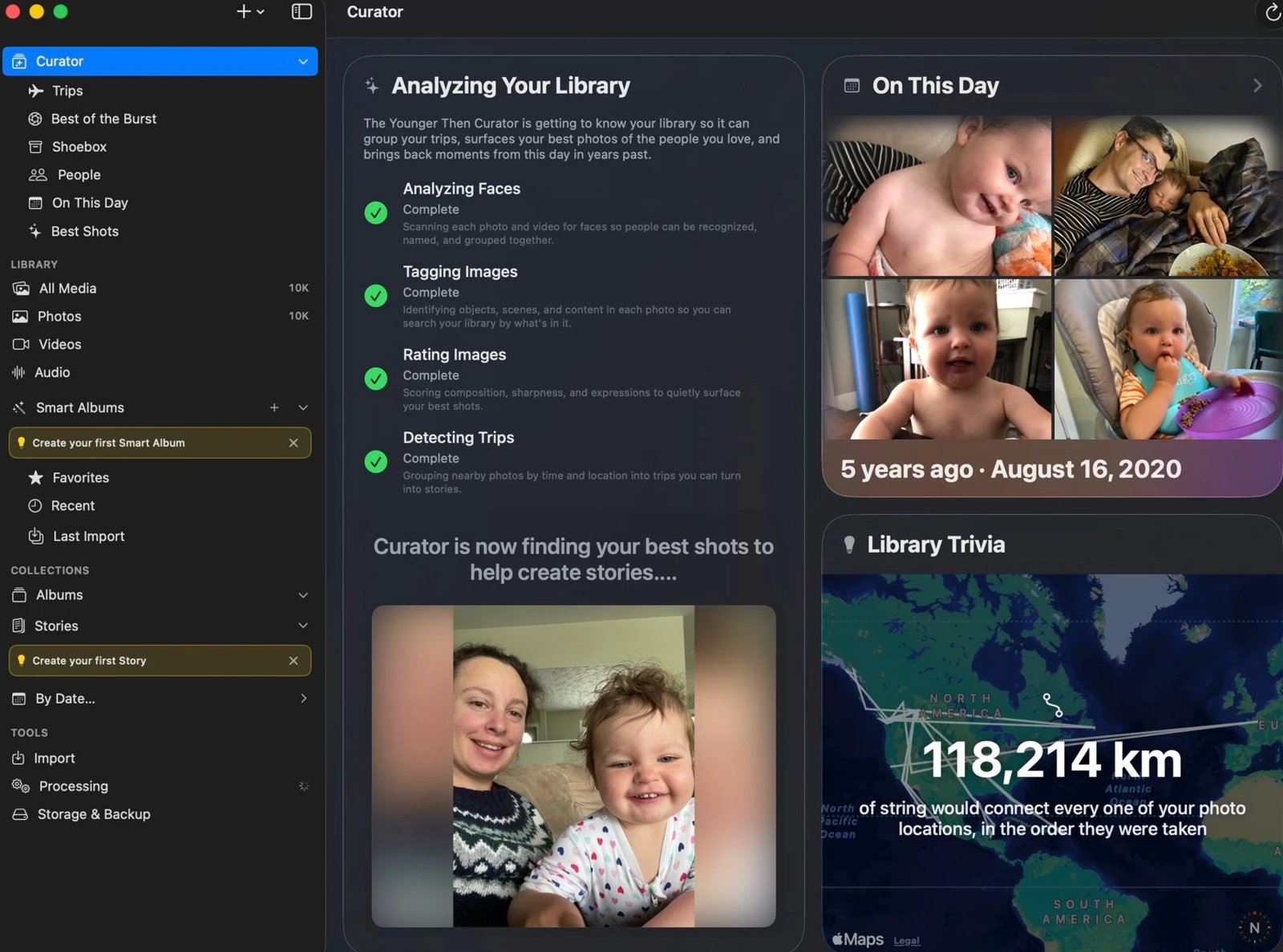
Photo Relato is deliberately simple. If you want to curate a big photo library, organize people and places, and build richer, longer stories, take a look at Younger Then, a full-featured Mac app.

Visit YoungerThen.com →
Younger Then's Curator on a Mac, analyzing a photo library with On This Day and Library Trivia cards